> ## Documentation Index
> Fetch the complete documentation index at: https://docs.aurogen.site/llms.txt
> Use this file to discover all available pages before exploring further.

# 配置概览

### 什么是Claws？

**Claw** 是 Aurogen 中一个可独立配置和运行的智能体单元，用于承载具体的角色定位、行为逻辑与任务执行能力。在系统中作为执行主体，负责接收消息、调用已绑定的 Brain 进行理解与推理，并结合 Skills、Channels 等模块完成实际交互与工作流处理。通过为不同用途创建不同的 Claw，用户可以快速搭建多个分工明确的智能体，实现灵活的多智能体配置与协作。

### 创建Claw

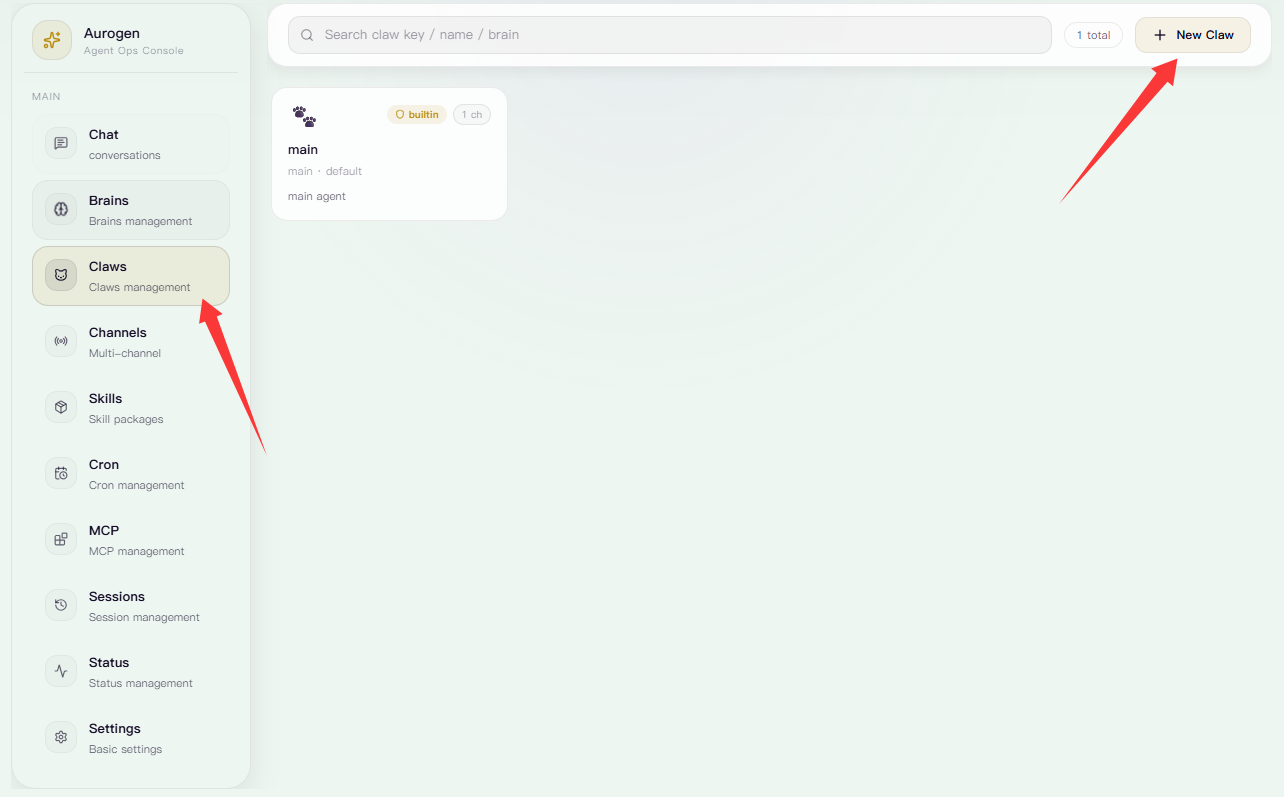
进入左侧 **Claws** 页面后，点击右上角的 **New Brain**，进入 Claw 详情配置页。

<Frame>
  <img src="https://mintcdn.com/123-1747710f/eKFwUjAElel4CbG-/images/image-27.png?fit=max&auto=format&n=eKFwUjAElel4CbG-&q=85&s=84984a1b3078b4fd2ca67d221c88bce1" alt="Image" width="1284" height="797" data-path="images/image-27.png" />
</Frame>

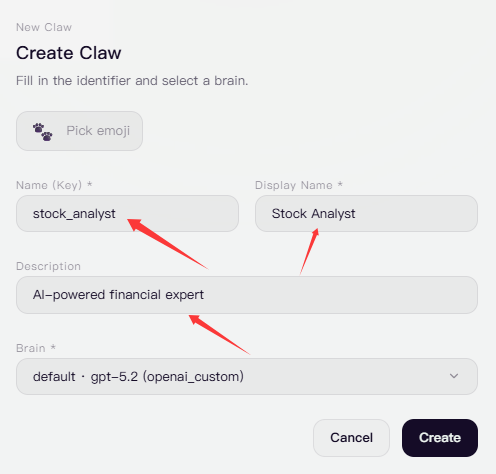
填写该 Claw 的唯一标识名称（不可重复）和显示名称，并根据需要补充描述信息。

<Frame>
  <img src="https://mintcdn.com/123-1747710f/eKFwUjAElel4CbG-/images/image-30.png?fit=max&auto=format&n=eKFwUjAElel4CbG-&q=85&s=57ee82089ac7df34b9943a95a276c010" alt="Image" width="496" height="474" data-path="images/image-30.png" />
</Frame>

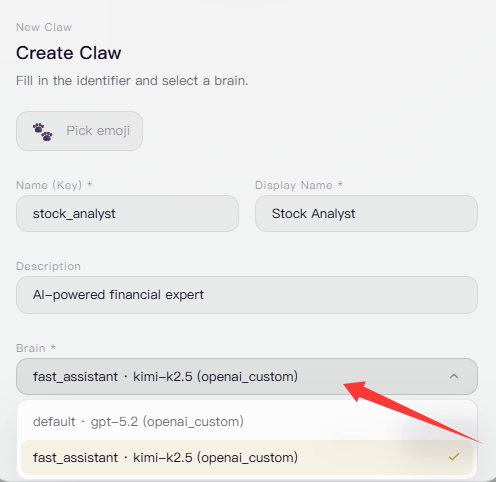
选择该Claw所接入的Brain。

<Frame>
  <img src="https://mintcdn.com/123-1747710f/eKFwUjAElel4CbG-/images/image-31.png?fit=max&auto=format&n=eKFwUjAElel4CbG-&q=85&s=6f26973574884e8e6f08e6d5fcd42af5" alt="Image" width="496" height="482" data-path="images/image-31.png" />
</Frame>

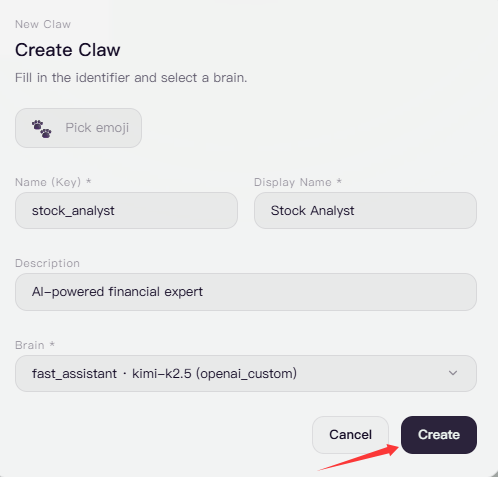
点击创建即可完成Claw创建

<Frame>
  <img src="https://mintcdn.com/123-1747710f/eKFwUjAElel4CbG-/images/image-32.png?fit=max&auto=format&n=eKFwUjAElel4CbG-&q=85&s=afeaff180f278c6fad8c48da0601db35" alt="Image" width="498" height="477" data-path="images/image-32.png" />
</Frame>

### 修改Claw

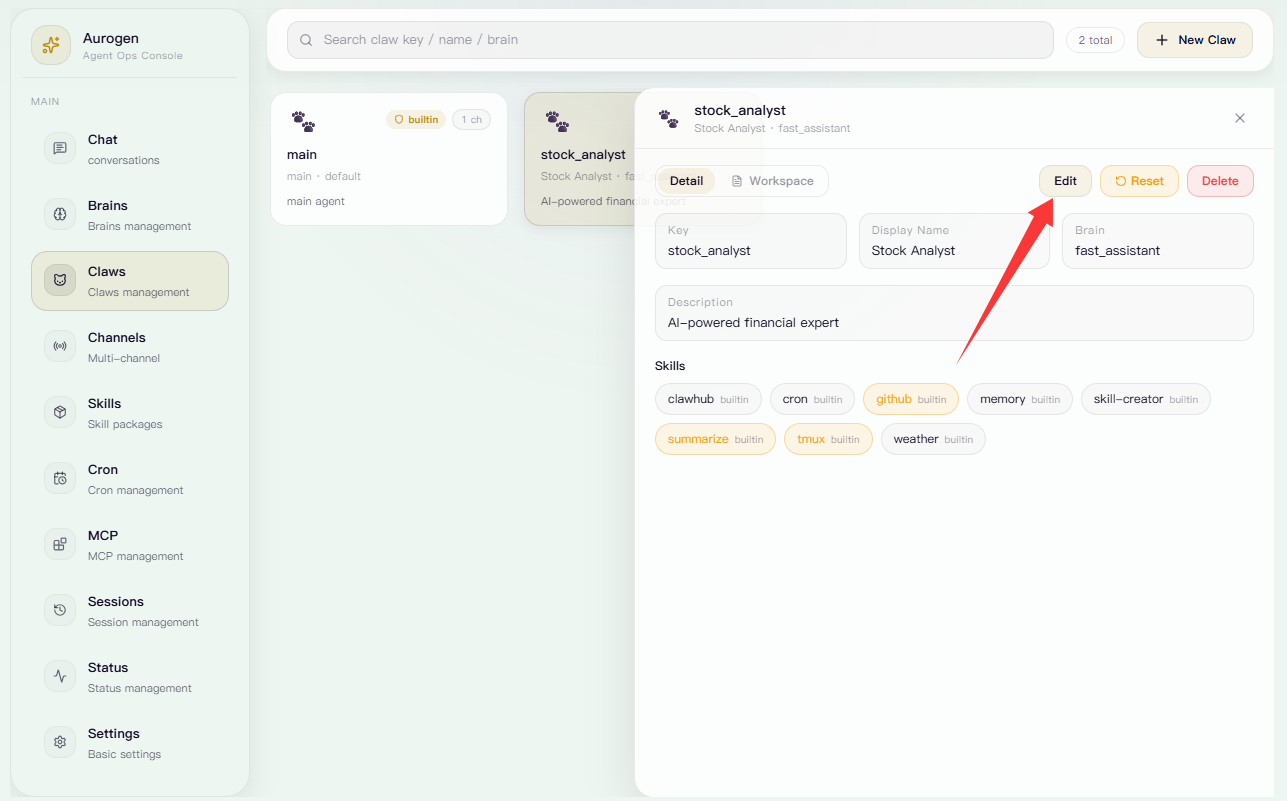
点击编辑可对该Claw进行设置修改

<Frame>
  <img src="https://mintcdn.com/123-1747710f/eKFwUjAElel4CbG-/images/image-33.png?fit=max&auto=format&n=eKFwUjAElel4CbG-&q=85&s=33f485e30e4658a44c60047824391486" alt="Image" width="1287" height="801" data-path="images/image-33.png" />
</Frame>

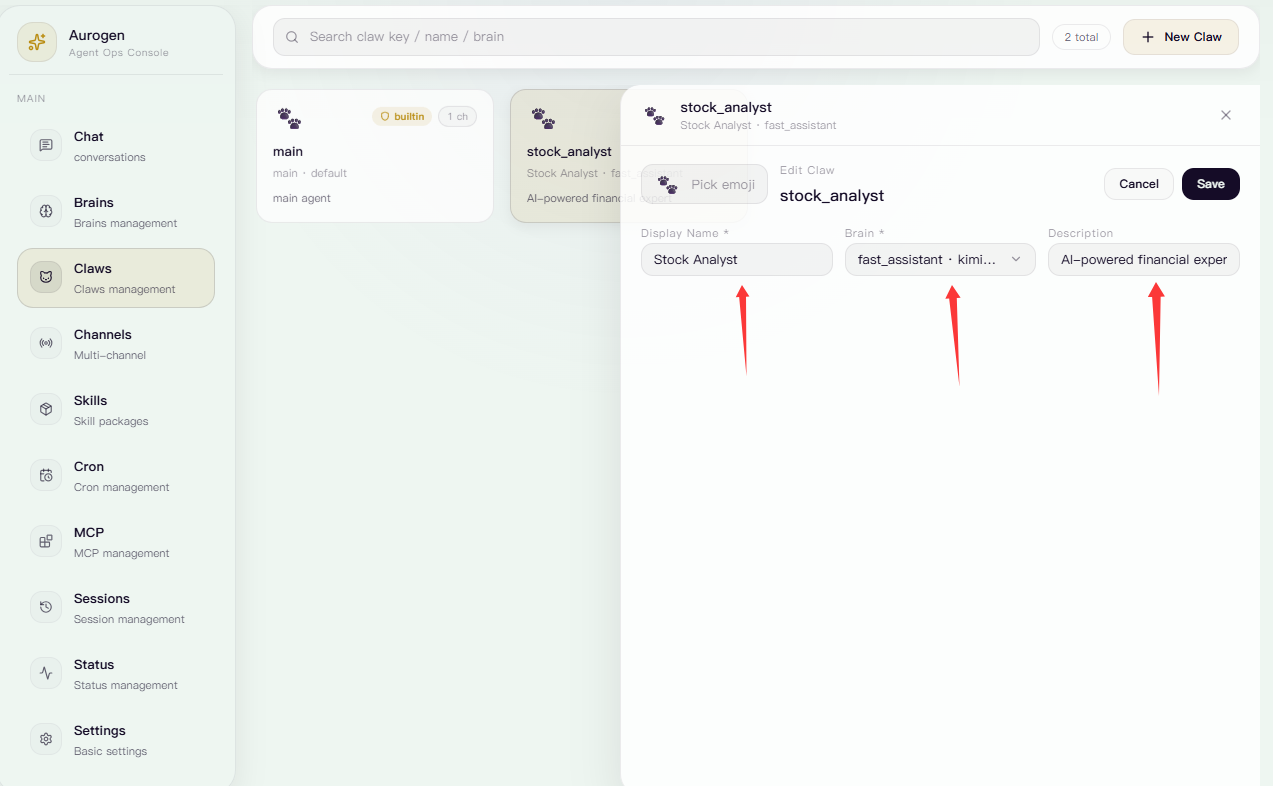
可对显示名称，所接入的Brain和描述信息进行修改。

<Frame>
  <img src="https://mintcdn.com/123-1747710f/eKFwUjAElel4CbG-/images/image-34.png?fit=max&auto=format&n=eKFwUjAElel4CbG-&q=85&s=ba67ae1c87193fe4221dc2951045baf4" alt="Image" width="1273" height="786" data-path="images/image-34.png" />
</Frame>

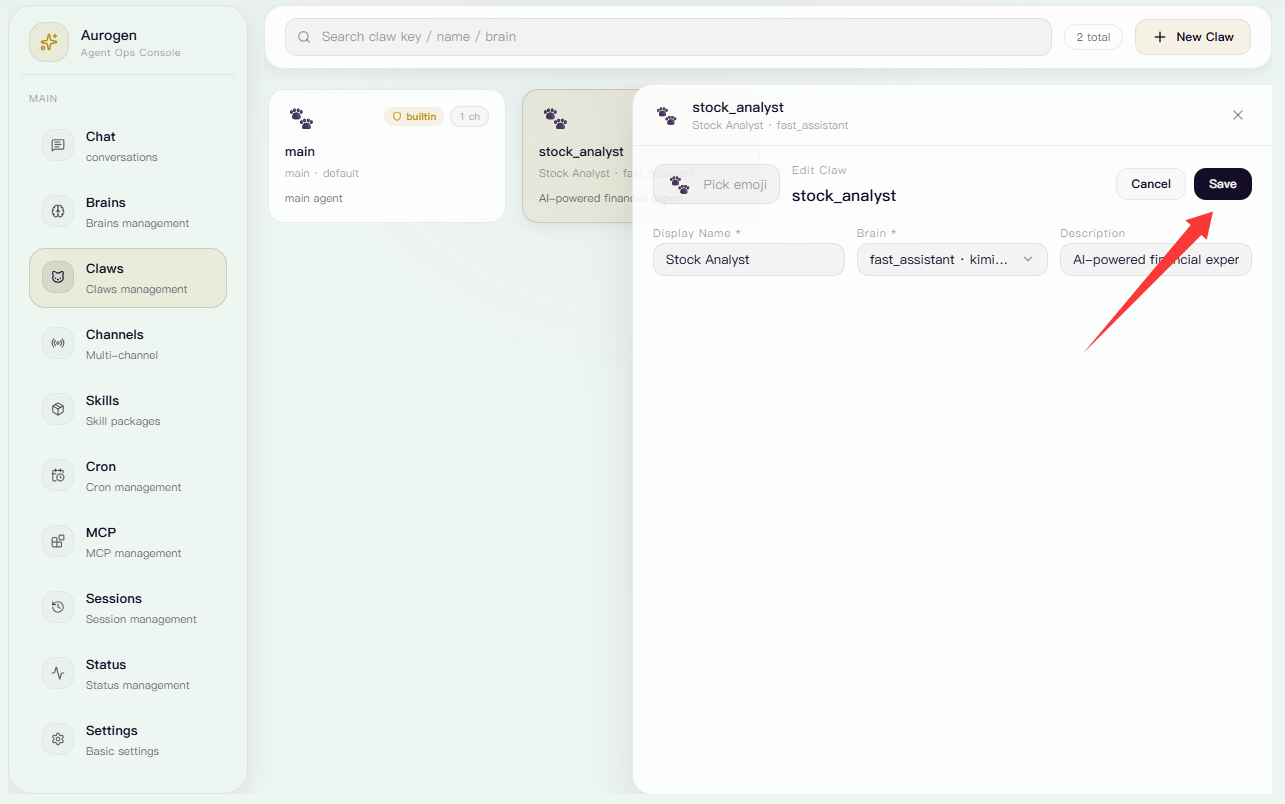
点击保存后保存并退出

<Frame>
  <img src="https://mintcdn.com/123-1747710f/eKFwUjAElel4CbG-/images/image-35.png?fit=max&auto=format&n=eKFwUjAElel4CbG-&q=85&s=8bc7370a4a8f43b0160fc08ea4619dd5" alt="Image" width="1285" height="804" data-path="images/image-35.png" />
</Frame>

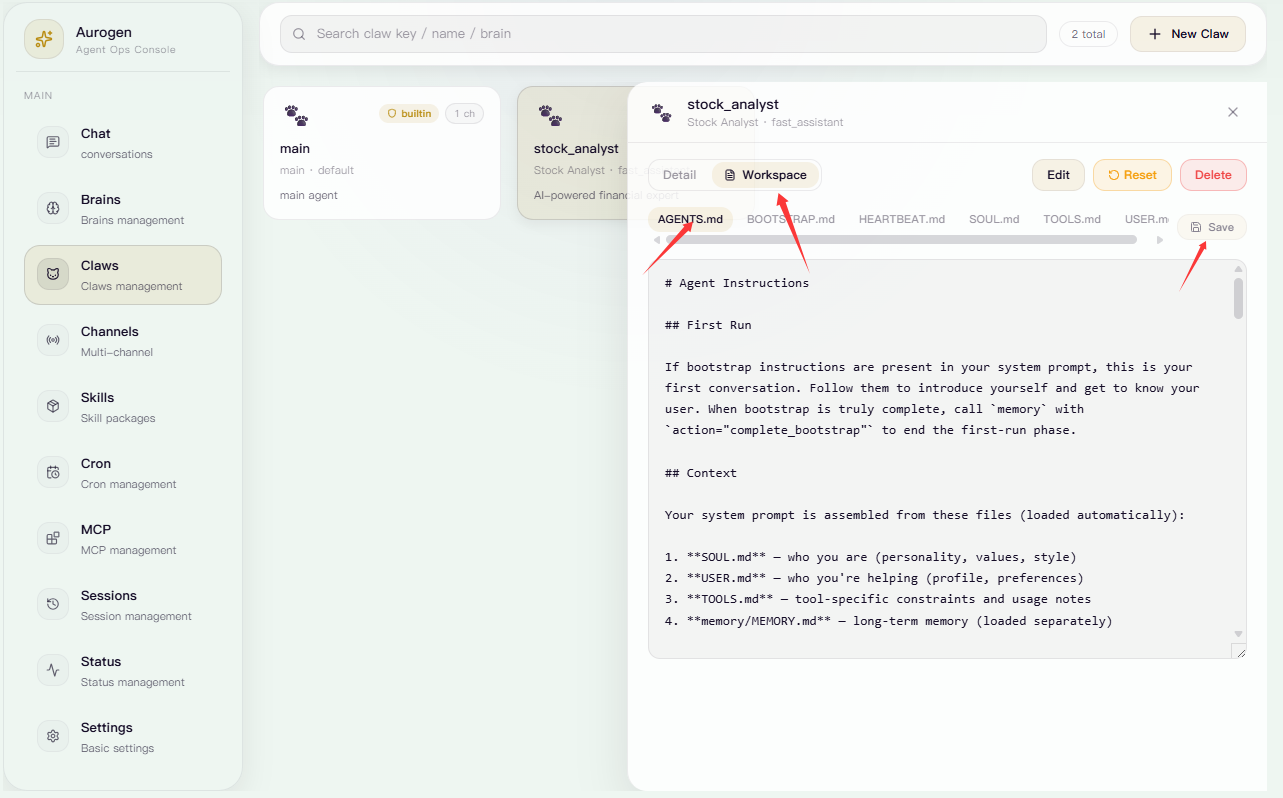
点击工作空间，可选择修改Claw的上下文配置文件，完成编辑后点击保存即可保存

<Frame>
  <img src="https://mintcdn.com/123-1747710f/ZTv8HeVwuNPVr9fN/images/image-40.png?fit=max&auto=format&n=ZTv8HeVwuNPVr9fN&q=85&s=6db95564a6c5854827c8405449f3be3f" alt="Image" width="1283" height="798" data-path="images/image-40.png" />
</Frame>

### 重置Claw

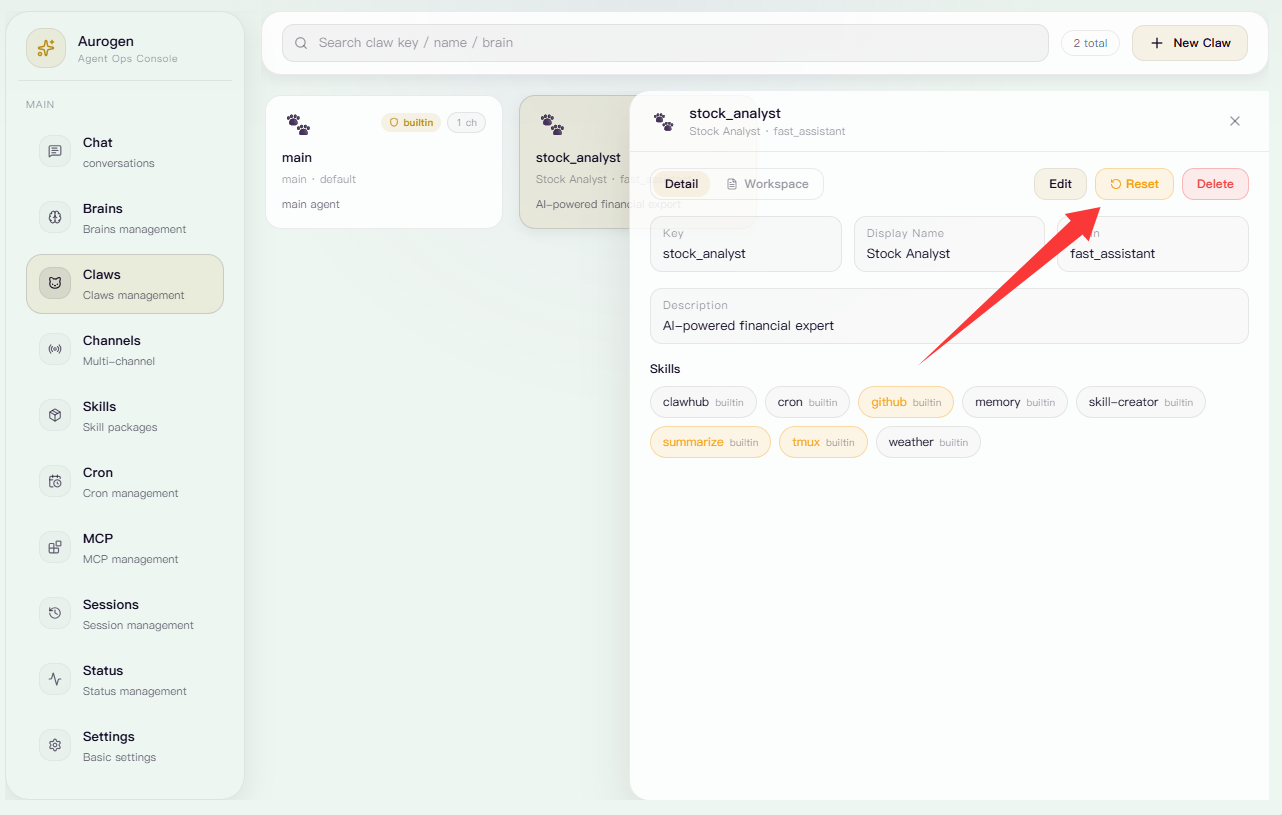
点击重置可消除该Claw所有记忆和自定义文件

<Frame>
  <img src="https://mintcdn.com/123-1747710f/eKFwUjAElel4CbG-/images/image-37.png?fit=max&auto=format&n=eKFwUjAElel4CbG-&q=85&s=1bedceb10e93932b7eb5d8c625629ed0" alt="Image" width="1282" height="815" data-path="images/image-37.png" />
</Frame>

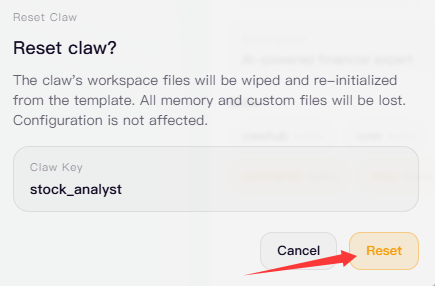
确认无误后点击重置即可完成消除

<Frame>
  <img src="https://mintcdn.com/123-1747710f/eKFwUjAElel4CbG-/images/image-39.png?fit=max&auto=format&n=eKFwUjAElel4CbG-&q=85&s=1becbd6d4791aa730ca3dbae0d2c1036" alt="Image" width="435" height="286" data-path="images/image-39.png" />
</Frame>

### 删除Claw

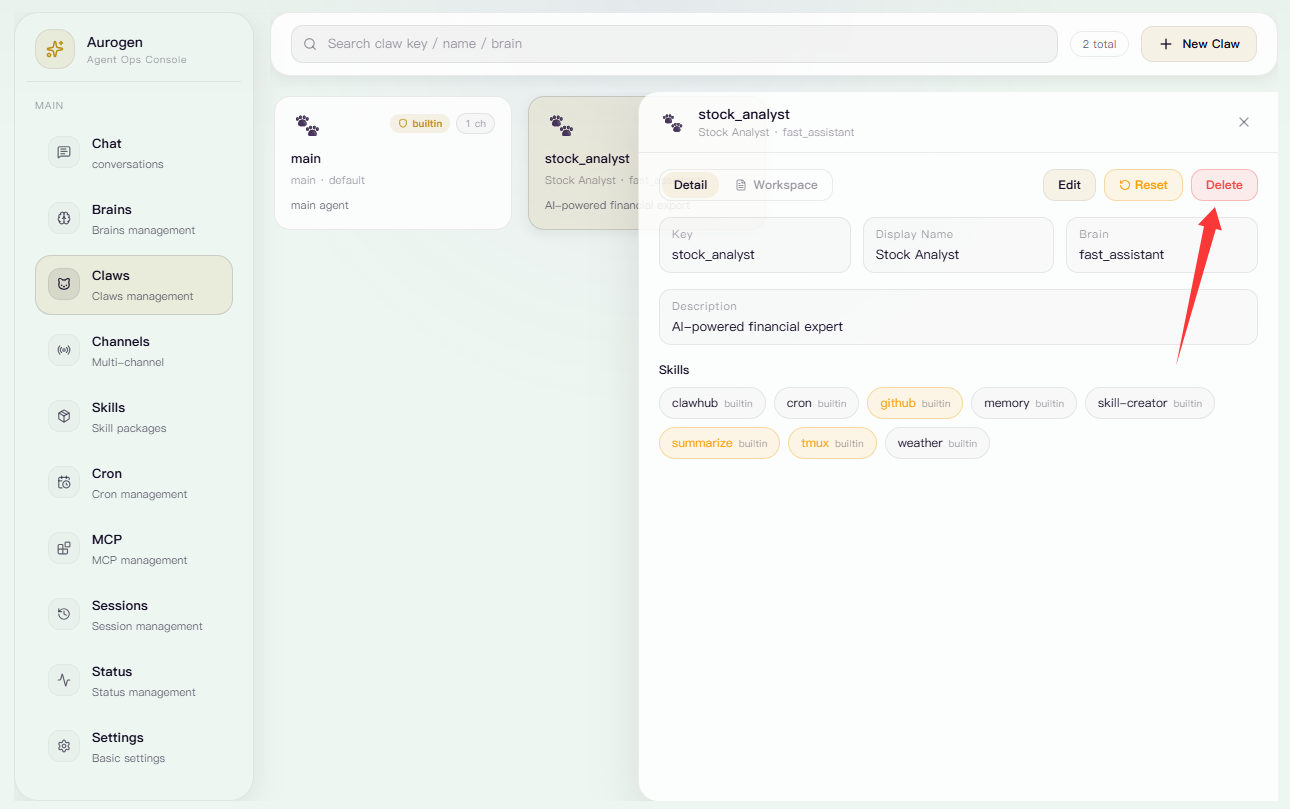
选中需要删除的Claw，点击右上角的删除按钮。

<Frame>
  <img src="https://mintcdn.com/123-1747710f/ZTv8HeVwuNPVr9fN/images/image-41.png?fit=max&auto=format&n=ZTv8HeVwuNPVr9fN&q=85&s=264b27f0fce7b473ecee1666dacccdc7" alt="Image" width="1290" height="809" data-path="images/image-41.png" />
</Frame>

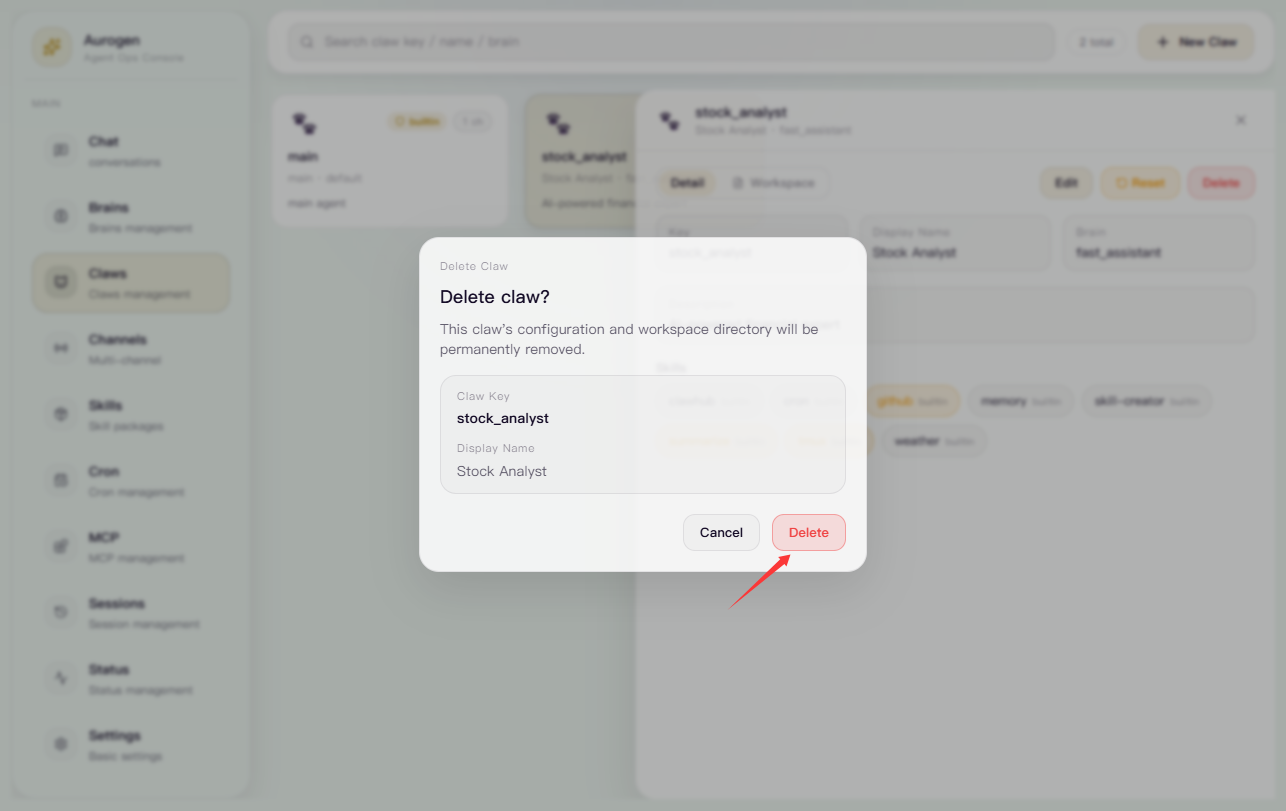
确认无误后点击删除即可完成删除

<Frame>
  <img src="https://mintcdn.com/123-1747710f/5OtK_rRrYRkjyO-T/images/f6a87946-dbcc-453b-a17d-2c20e96b28d4.png?fit=max&auto=format&n=5OtK_rRrYRkjyO-T&q=85&s=b2ba97e4f20930fefac03b214d1416b9" alt="F6a87946 Dbcc 453b A17d 2c20e96b28d4" width="1286" height="811" data-path="images/f6a87946-dbcc-453b-a17d-2c20e96b28d4.png" />
</Frame>