> ## Documentation Index
> Fetch the complete documentation index at: https://docs.aurogen.site/llms.txt
> Use this file to discover all available pages before exploring further.

# 快速配置

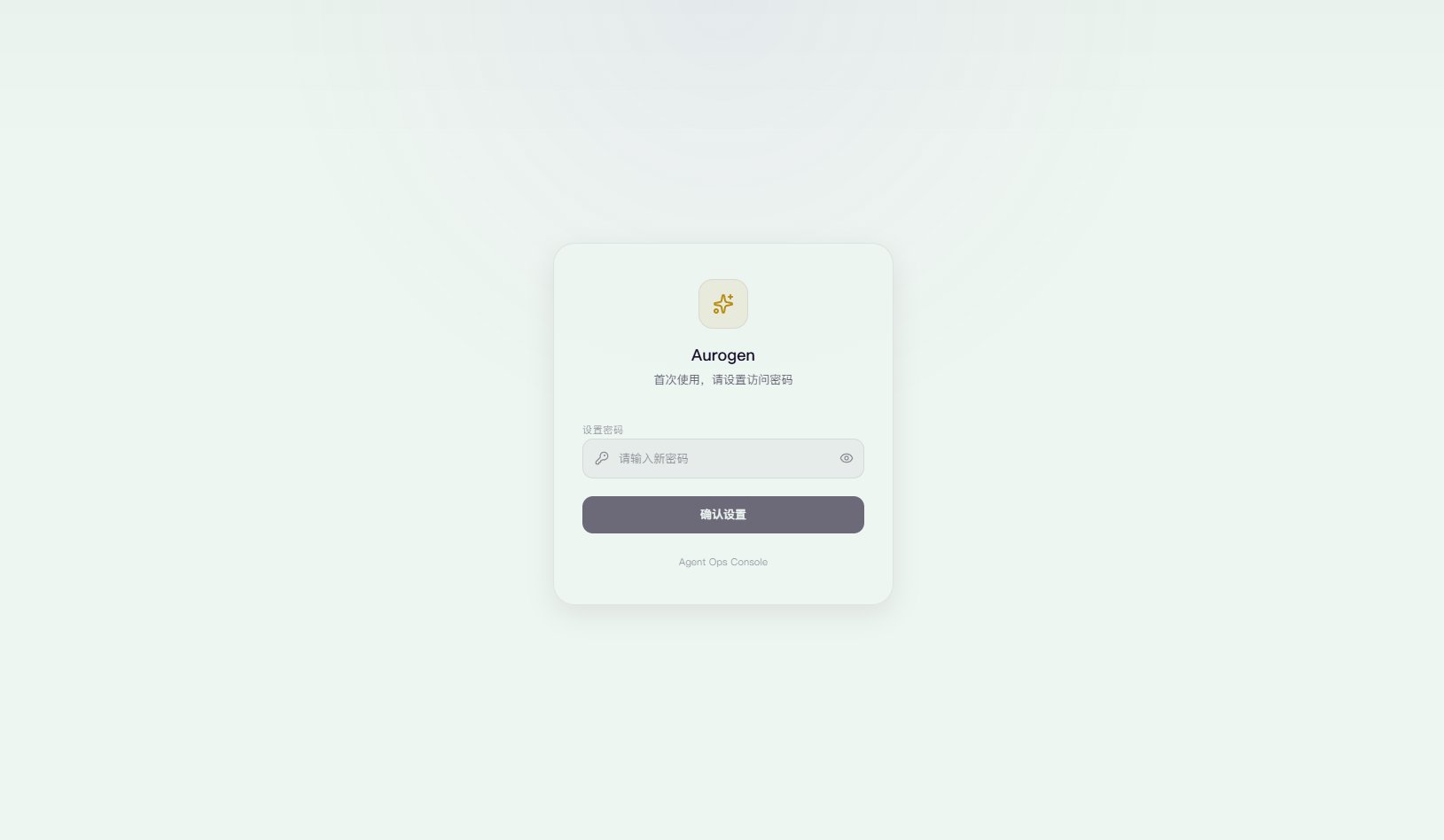
打开[http://localhost:](http://localhost:5173/settings)8000

<Note>
  如果是开发部署打开：[http://localhost:5173](http://localhost:5173/settings)
</Note>

<Frame>
  <img src="https://mintcdn.com/123-1747710f/DAN1c95nbYIxO1vd/images/image-1.png?fit=max&auto=format&n=DAN1c95nbYIxO1vd&q=85&s=332f26584c589e74e21115e76f9a3c36" alt="Image" width="1629" height="948" data-path="images/image-1.png" />
</Frame>

## 设置密码

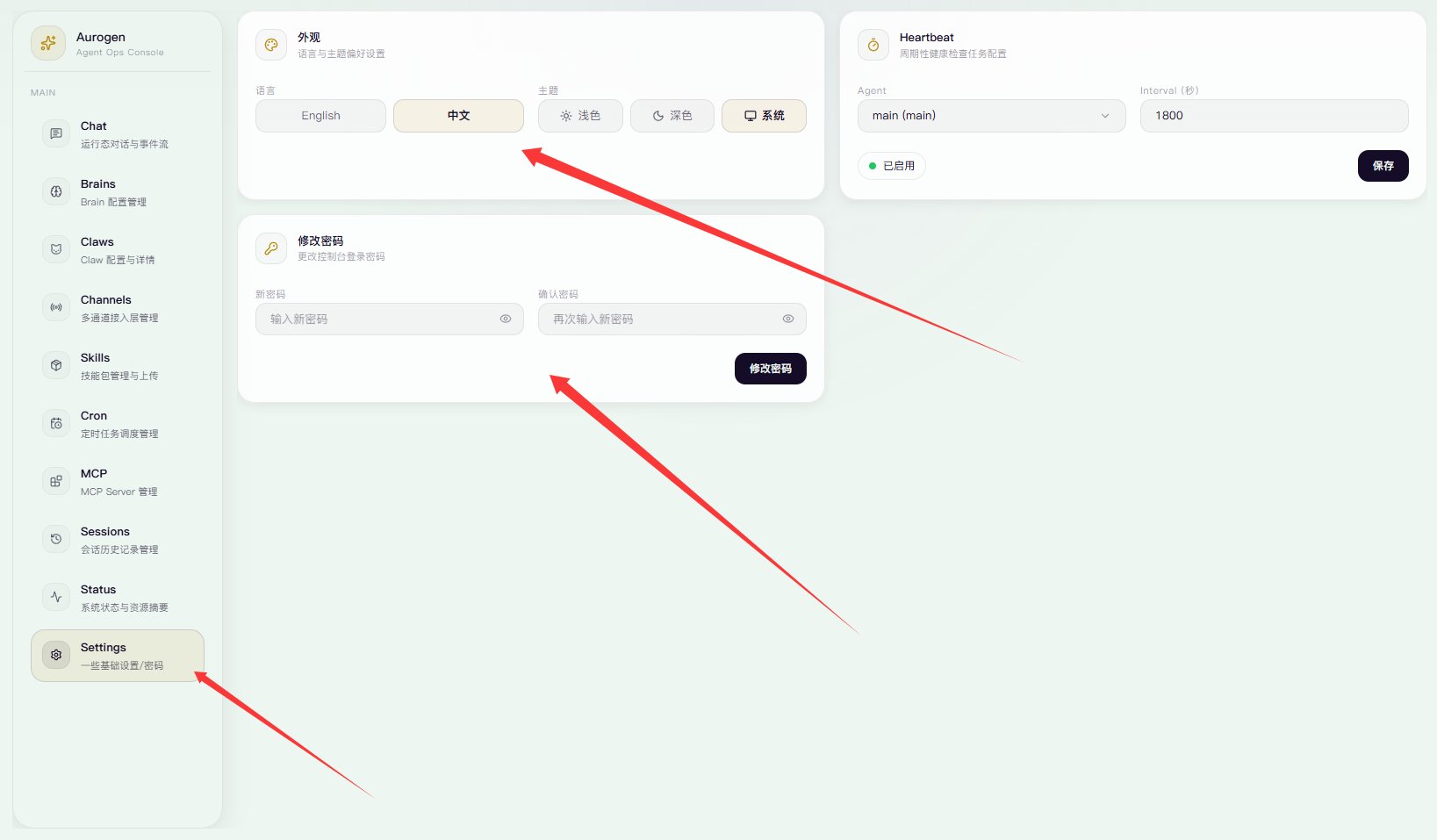
设置你的面板密码，面板密码会持久保存于浏览器。

<Frame>
  <img src="https://mintcdn.com/123-1747710f/DAN1c95nbYIxO1vd/images/image-2.png?fit=max&auto=format&n=DAN1c95nbYIxO1vd&q=85&s=7d744a8d9ce8363f0ad95461c5b44c9c" alt="Image" width="1637" height="957" data-path="images/image-2.png" />
</Frame>

在左侧设置面板可以修改为**中文、设置主题、修改密码。**

## 配置你的第一个ClawBot

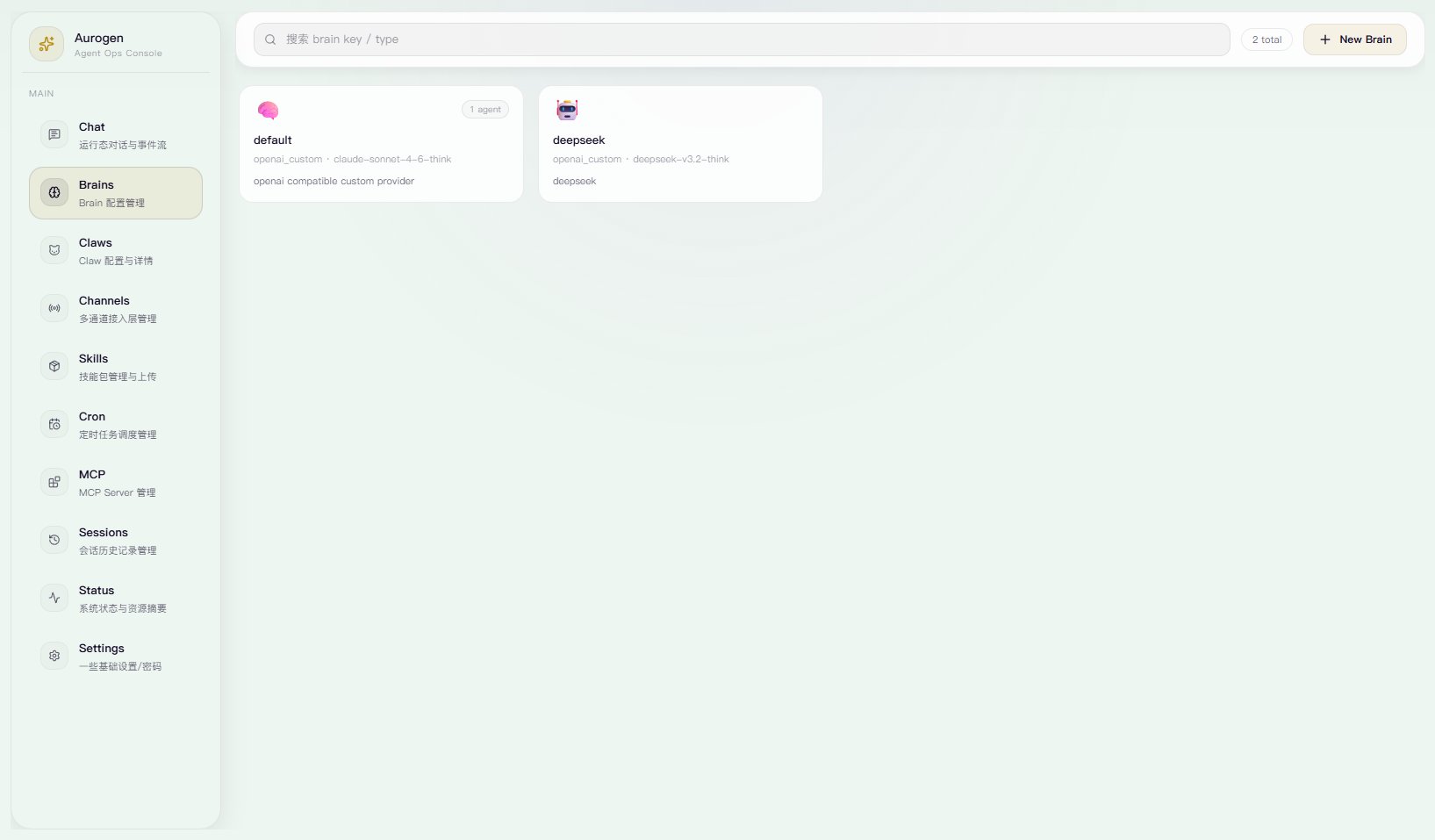
1. 点击**Brains**

   **Brains**为LLM API端口管理，点进去会有个默认的。

   <Frame>
     <img src="https://mintcdn.com/123-1747710f/DAN1c95nbYIxO1vd/images/image-3.png?fit=max&auto=format&n=DAN1c95nbYIxO1vd&q=85&s=0ec1e33a0ae44eb4eca478e7995a9659" alt="Image" width="1635" height="957" data-path="images/image-3.png" />
   </Frame>

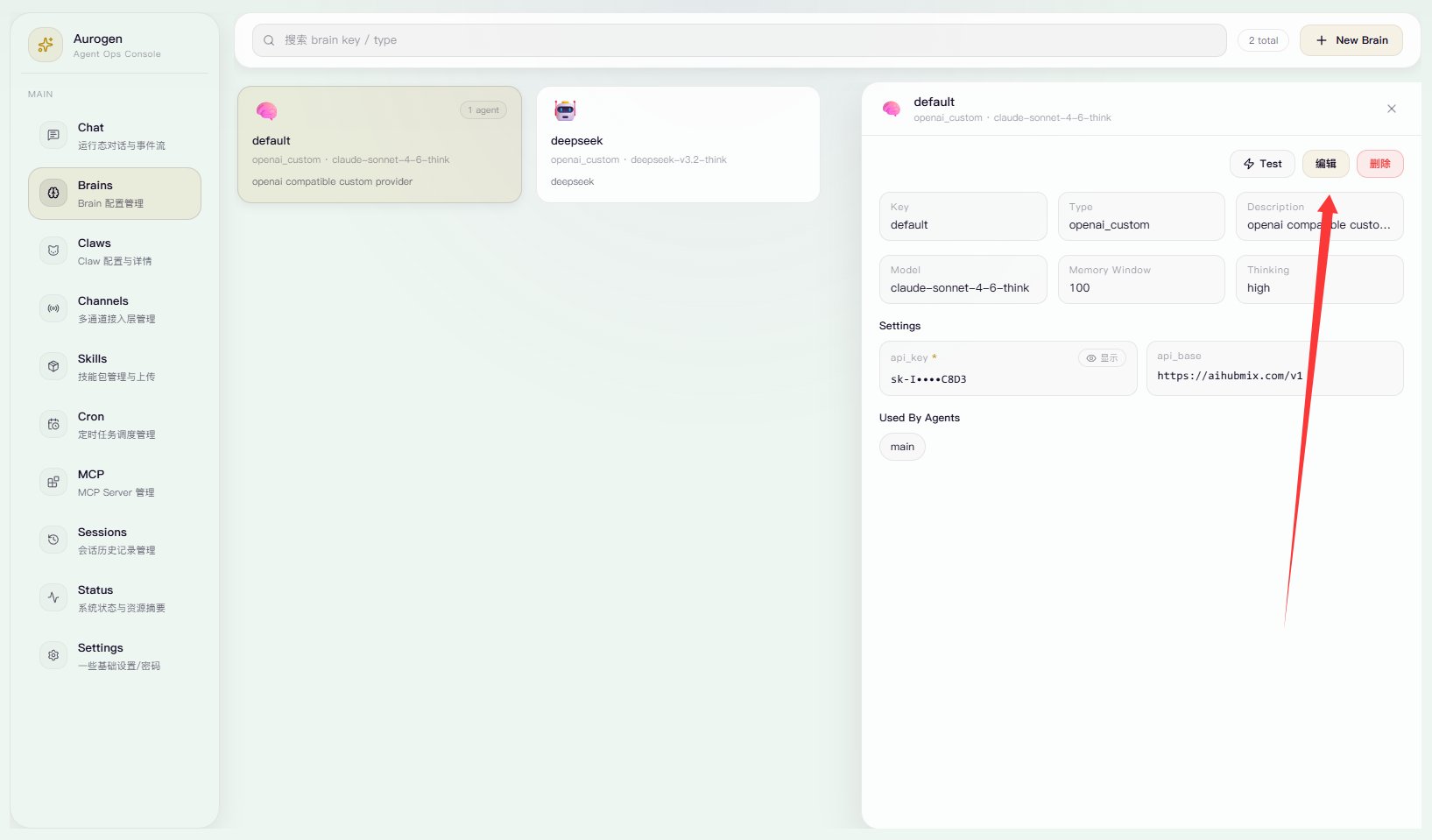
   点击默认Brains卡片，然后点击**编辑**。

   <Frame>
     <img src="https://mintcdn.com/123-1747710f/DAN1c95nbYIxO1vd/images/image-4.png?fit=max&auto=format&n=DAN1c95nbYIxO1vd&q=85&s=0f4d2a6fd3ea34996d494f90ef4fa784" alt="Image" width="1635" height="959" data-path="images/image-4.png" />
   </Frame>

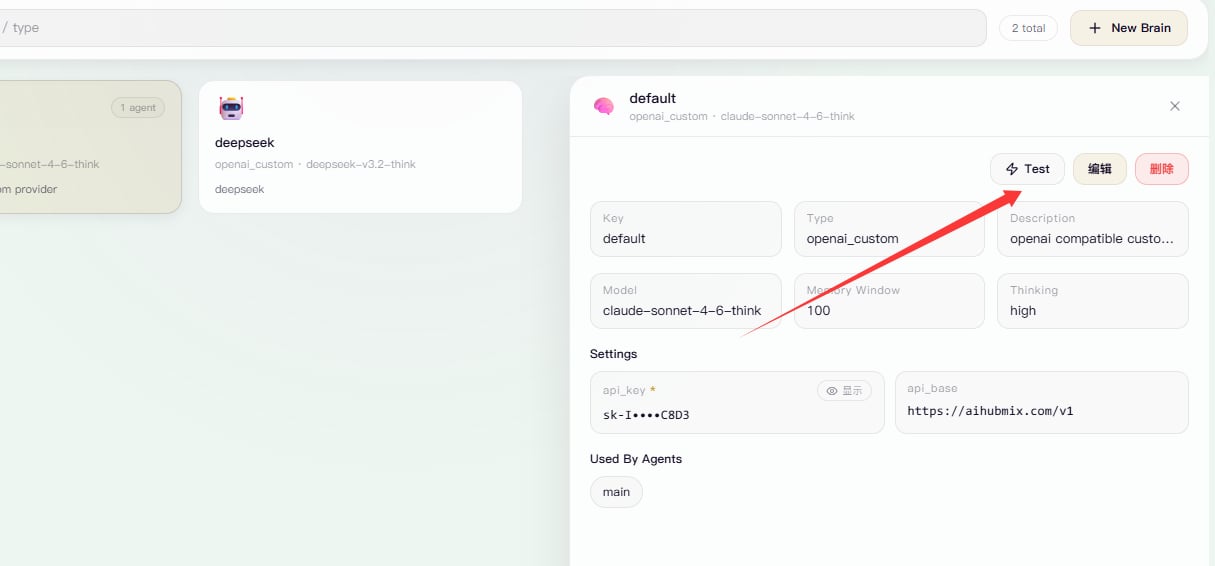
   设置**api key / api url** 你也可以更换Provider。然后设置model id 和 是否开启 thinking。
   <Frame>
     <img src="https://mintcdn.com/123-1747710f/DAN1c95nbYIxO1vd/images/image-5.png?fit=max&auto=format&n=DAN1c95nbYIxO1vd&q=85&s=03ce8a25209021e057d2fa7f568b6009" alt="Image" width="1215" height="566" data-path="images/image-5.png" />
   </Frame>

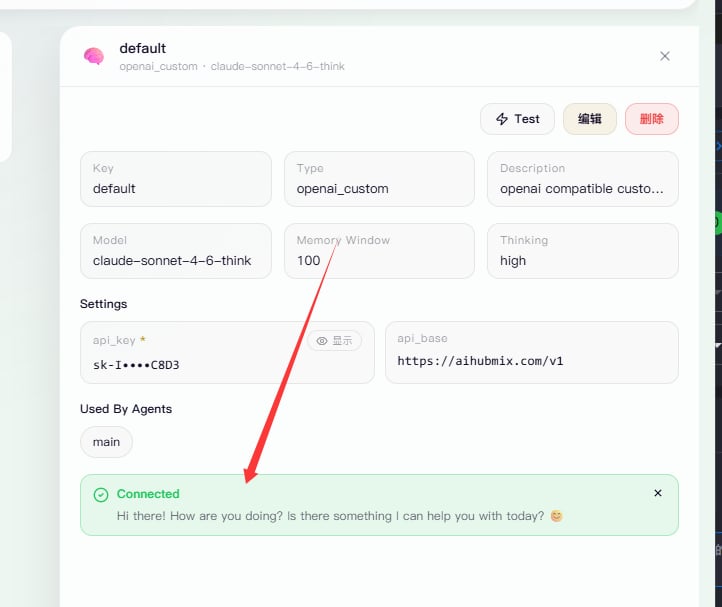
   点击**测试，确保返回**

   <Frame>
     <img src="https://mintcdn.com/123-1747710f/DAN1c95nbYIxO1vd/images/image-7.png?fit=max&auto=format&n=DAN1c95nbYIxO1vd&q=85&s=ec866710e07b6d4742bddbff52e1ee56" alt="Image" width="722" height="607" data-path="images/image-7.png" />
   </Frame>

   好了，现在**完成基础配置**了。